
WIP limits for a five-person team
Set the In progress WIP limit to 3 or 4 for a team of 5, for the whole team not per person. Why, a table by team size, common mistakes, and how to set it.
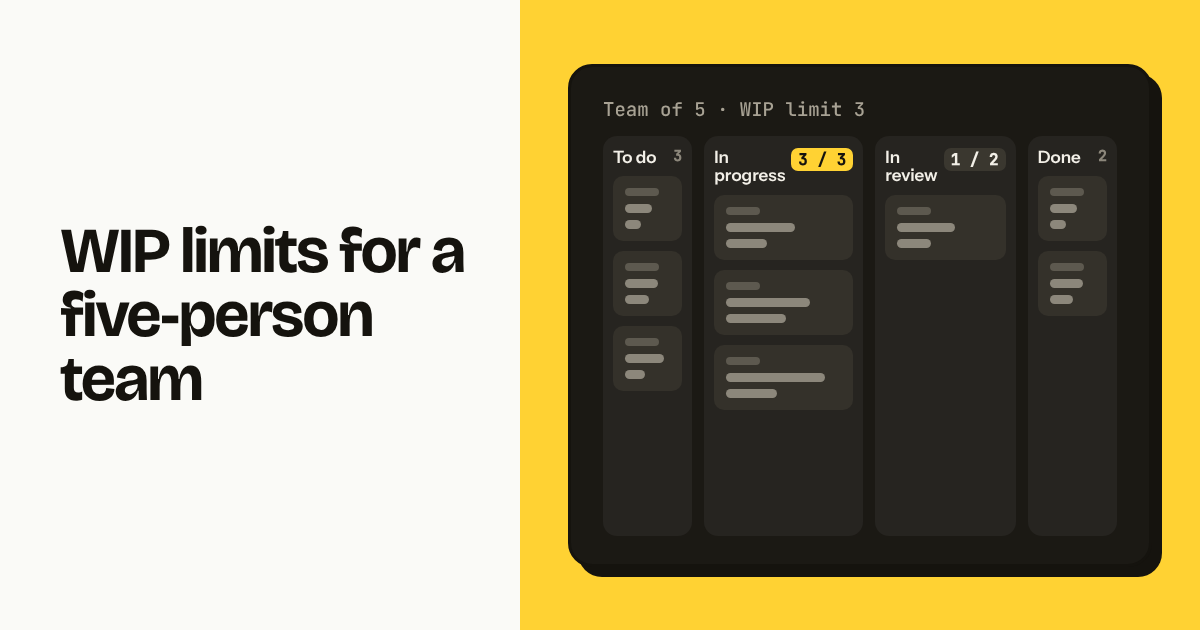
For a team of 5, set the In progress column's WIP limit to 3 or 4: team size minus one or two, applied to the whole column and not per person. Start at 4 if limits are new, drop to 3 once people stop arguing with the warning. Keep Review at or below the same number. Everything else stays unlimited.
TL;DR
- Team of 5: In progress limit of 3 or 4, shared across the team. Review limit equal or lower.
- The limit is below headcount on purpose: someone must always be free to review, unblock or fix what broke.
- When the column is full, the question is "what can we finish first?", not "how do we raise the limit?".
Why is the limit lower than the number of people?
The limit sits below headcount because a team of 5 with 5 tasks in progress has nobody left to review, unblock a colleague, or pick up the production bug that arrives at 11:00. A limit of 3 or 4 keeps one or two people floating: they finish, review, pair, and only then start something new.
Work in progress is also not the same as people. One person often has two tasks half done, so with 5 people and no limit a board routinely shows 8 to 10 cards in progress, each moving a little every day and none finishing. A limit of 3 sends the second task back to To do.
The cost is real: someone will sometimes sit idle for an hour because the column is full. That hour is cheaper than the three days a task spends 80 percent done because everyone is 80 percent done with something.
What happens when the column is full?
When In progress is at its limit, the next move is to ask "what can we finish first?" and go help with that, not to start a new card. In Moxboard the column header shows the count against the limit, for example 4 / 3, in a warning color, so the whole team sees the same number.
The conversation goes one of three ways:
- Something is waiting on review. The free person reviews it, the task moves to Done, the next card comes in. This is the normal case.
- Something is blocked. The free person unblocks it: chases the client, writes the missing spec, pairs with whoever is stuck.
- Nothing can be finished right now. Rare, and the answer is still not to pull a new card. Prepare the next task's description, or take the hour. If this happens daily, the tasks are too big.
The warning is not a lock. Moxboard, like most boards, lets you exceed the limit and shows the overage. A hard block creates workarounds (two columns called In progress); a visible warning creates a conversation.
What WIP limit should a team of 2, 3, 5, 8 or 12 use?
The limit scales with team size minus one or two, until the team is large enough that it should be two boards; the table gives a starting point for In progress, with Review equal or lower.
| Team size | In progress limit | Review limit | Notes |
|---|---|---|---|
| 2 | 2 | 1 | Minus one would mean one task at a time; the Review limit of 1 does the work. |
| 3 | 2 | 2 | One person free at all times. |
| 5 | 3 or 4 | 3 | Start at 4, drop to 3 after two weeks. |
| 8 | 6 or 7 | 4 | Consider sections on one board rather than two boards. |
| 12 | 10 or 11 | 5 | Upper end of one board. Split by team or product before going higher. |
Teams with many small tasks (support, content) can run one higher; teams with week-long tasks one lower. Adjust once after two weeks, then leave it for a quarter.
[Image: Moxboard board with 12 tasks across To do / In progress / In review / Done, types Bug, Feature and Feedback, 4 assignees, In progress header showing 3 / 3, one card flagged stale after 10 days, light theme, landscape]
What should the Review column limit be?
Keep Review at or below the In progress limit, because review is where work goes to wait, and an unlimited Review column quietly becomes the real work in progress. For a team of 5 with In progress at 3 or 4, set Review to 3.
Reviewing is nobody's main job, so it is the first thing dropped on a busy day. Five cards pile up in Review, their authors start new work because In progress has room, and the team has 9 things open with 4 "done except review".
A Review limit of 3 means the fourth finished task cannot leave In progress until someone reviews one. That keeps In progress full, which blocks new work, which frees someone to review. The system corrects itself without a meeting. If your team has no review step, rename the column to your real waiting state (Waiting on client, QA) and limit that.
What are the common mistakes with WIP limits?
The four mistakes that undo WIP limits are setting them per person, setting them on Backlog or Done, raising the limit when the column fills up, and ignoring the warning until it becomes wallpaper.
- Per-person limits. "Each person can have 2 tasks in progress" measures individual load, not team flow, and with 5 people allows 10 cards in progress. Use the shared column limit; use the assignee filter to see one person's load.
- Limits on Backlog or Done. A limit on Backlog turns intake into a fight about what to delete. A limit on Done is meaningless. Let Backlog grow and prune it monthly; let Done auto-archive after 14 or 30 days.
- Raising the limit. The first time the header shows 4 / 3, someone will suggest 5. That removes the signal and keeps the problem. Finish something instead; revisit the number once a quarter at most.
- Ignoring the warning. If the column has been at 5 / 3 for a month, the limit is not a limit. Honor it as a team or remove it; an ignored limit trains people to skip the board's other signals too.
A fifth: a WIP limit says how many, not how long. Pair it with a stale-task flag so a card that has not moved in 7 or 10 days gets a marker; stale cards need splitting, unblocking or killing, not more room.
How do you set a WIP limit in Moxboard, Trello or Asana?
In Moxboard, open the column menu in the column header, choose WIP limit, enter the number and save; the header then shows the count against the limit, for example 3 / 3, and switches to a warning color when exceeded. The limit is per column and per project. Step-by-step at /help/columns.
Pair it with stale-task flags: pick the days after which an unmoved card gets a flag (/help/columns). For a team of 5, a limit of 3 and a stale flag at 7 days cover both "too many" and "too long". The Dashboard (on every plan) then shows whether tasks completed per week rise and how long cards sit in each column, and the Reports page's cumulative flow chart shows where work piles up across projects.
Trello has no native WIP limit on Free or Standard; the usual workaround is the number in the list title, "In progress (3)", counted by eye, or a Power-Up that colors the list. Asana has no WIP limit on sections; teams approximate it with a rule that posts a comment when a section passes a count, which needs the Starter plan. Neither shows the count in the column header, one reason small teams pick a board-first tool; the trade-offs are in the one-board method.
[Image: Moxboard column menu open on In progress with the WIP limit field set to 3, light theme, landscape]
FAQ
What WIP limit should a team of 5 use? Set the In progress column to 3 or 4 for a team of 5, shared across the whole team rather than per person. Start at 4 if WIP limits are new to the team, and lower it to 3 after two weeks. Set the Review column to 3 as well. Leave To do and Done unlimited.
Should WIP limits be per person or per column? Per column. A per-person limit of 2 on a team of 5 allows 10 tasks in progress and measures individual load, not team flow. A column limit of 3 or 4 keeps one or two people free to review and unblock. Most kanban tools, including Moxboard, apply the limit to the column.
What do you do when the WIP limit is reached? Do not start a new task. Ask what can be finished first: review a waiting card, unblock a stuck task, or pair with whoever is closest to done. If nothing can be finished, prepare the next task's description or take the hour. Raise the limit only after a quarter of consistent overruns.
Should the Review column have a WIP limit? Yes, equal to or lower than the In progress limit. Review is where finished-but-unverified work waits, and without a limit it becomes the real work in progress. For a team of 5 with In progress at 3 or 4, set Review to 3 so a backlog of reviews blocks new work and frees someone to review.
Try Moxboard free for 14 days — one board, one price, whole team.
One board. One price. Whole team.
Moxboard is a kanban board for small teams. Everything included, one price for your team size: half of Trello Standard or less for a full team of 10, 20, 50 or 100. Try it free for 14 days, no card needed.
Start free